Inventory counts by storage area
Walk the walk-in, the freezer and dry storage in the order you actually walk them, and tap the count for each item. Counted in cases, pieces or pounds, the way it sits on the shelf.
Slice Supply is the inventory and ordering app for restaurant kitchens. Count on your phone, see what each vendor charges, and build the week's orders from the count.
Then $49.99 a month for every store and every device on your account. No setup fee, no contract.
Built in a working pizzeria and used every day in our two kitchens in Yorktown and Somers, New York.
It runs on iPhone and iPad. One account covers the whole kitchen.
Walk the walk-in, the freezer and dry storage in the order you actually walk them, and tap the count for each item. Counted in cases, pieces or pounds, the way it sits on the shelf.
A new account comes stocked with several hundred common kitchen items already sorted into storage areas, so you can count on day one. Add your own items by name as you go.
When the count is done, the app lays out the order vendor by vendor. Change a quantity, move an item to a different vendor, add or remove a line, then build the orders.
Once your vendors' prices are in, each item shows the vendor it is going to and the next ones down with what each would charge, and what switching would save on that line.
Add each location with its own name and logo. Every store has its own storage areas, counts and orders, and you can transfer stock between them.
Counts are saved on the phone first and sent when the connection comes back, so a walk-in with no signal never loses your work. Bluetooth barcode scanners work too.
Swipe through the pages. These are real screens from our own kitchens.
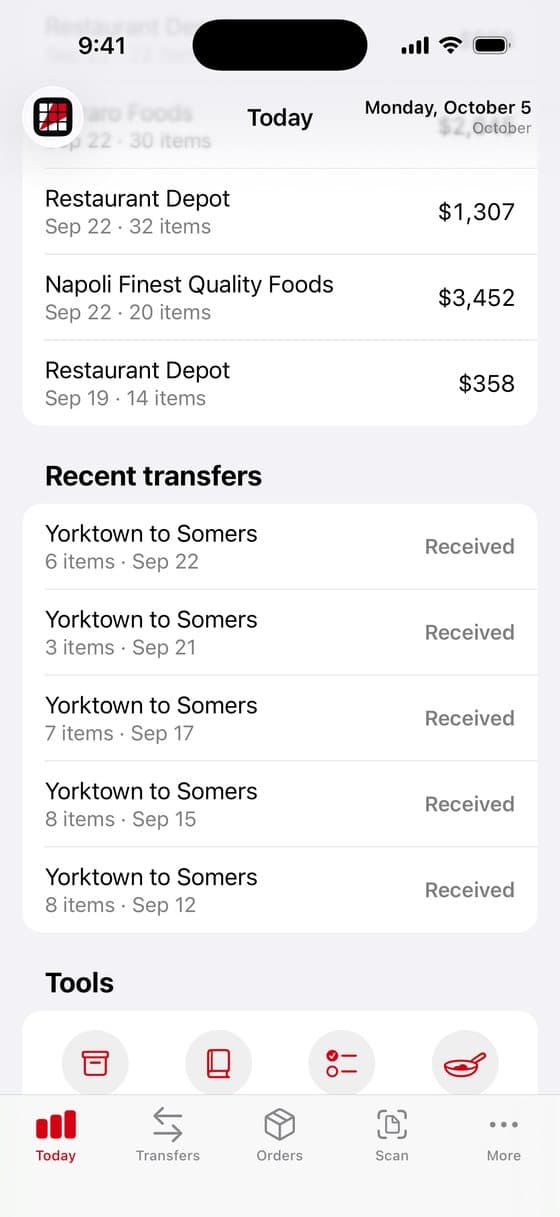
Recent orders and transfers between stores, and shortcuts to the pages you use most.
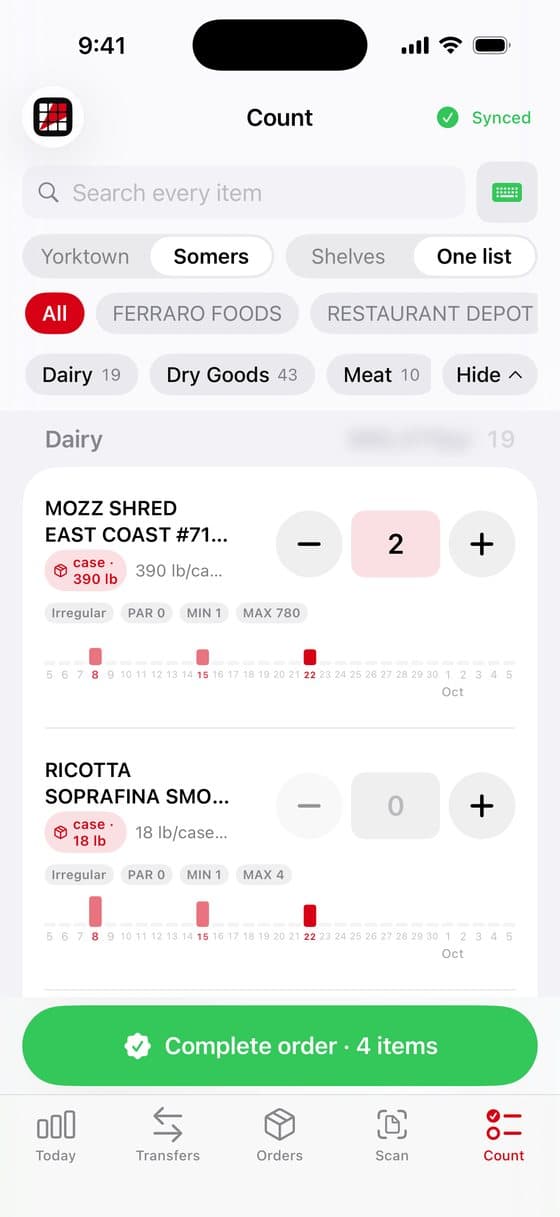
Walk the shelves and tap in what is there. Each item shows its par and when it was last ordered.
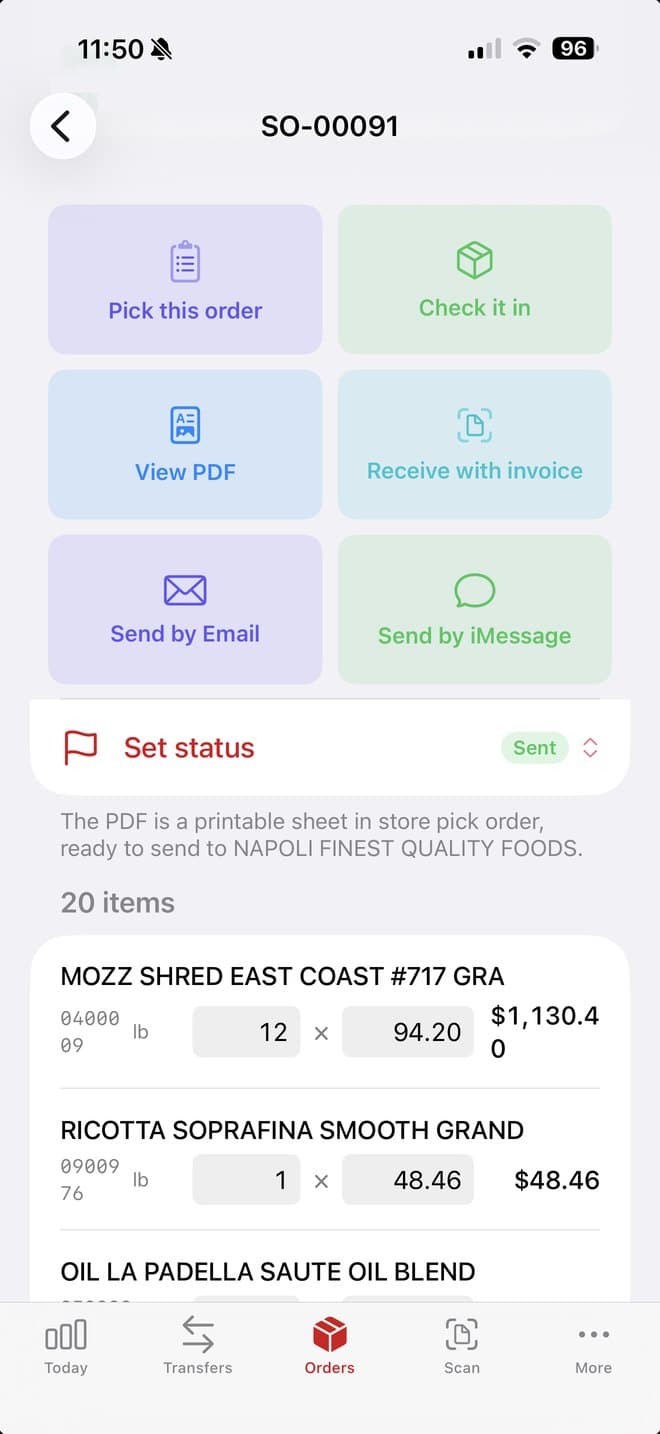
Pick an order, check it in, view it as a PDF, receive it against the invoice, or send it.
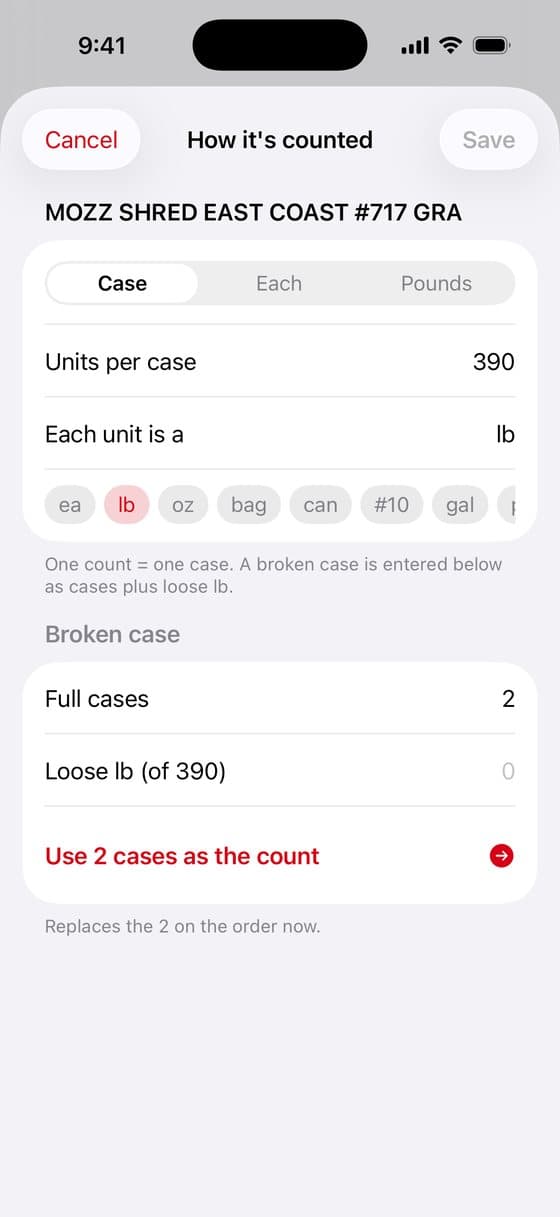
Set how each item is counted: by the case, each or pound, with broken cases handled.
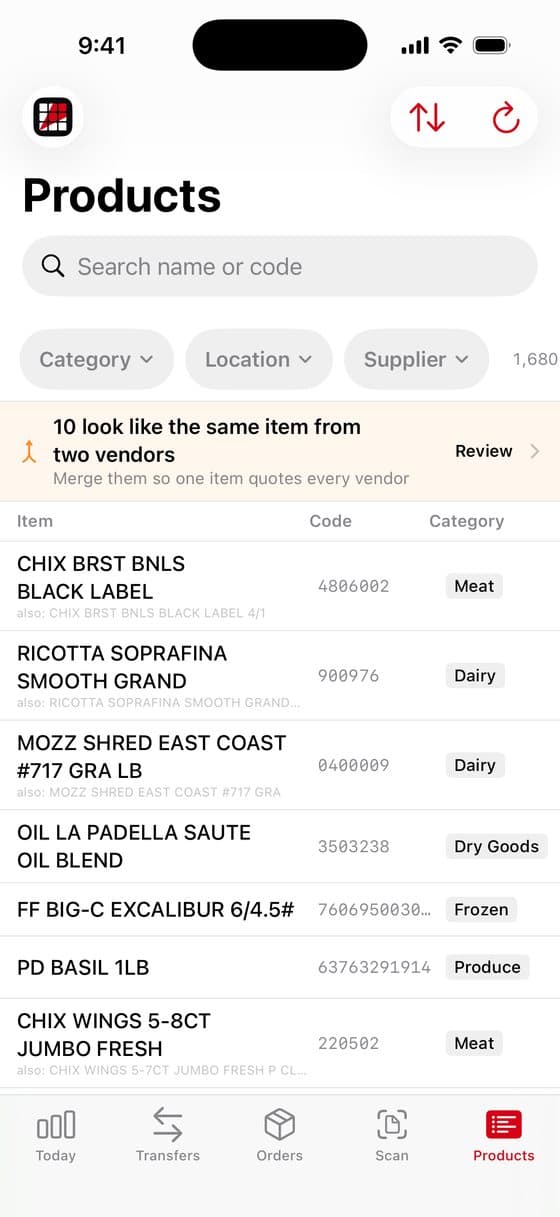
Every product you buy in one list, by category, location and supplier.
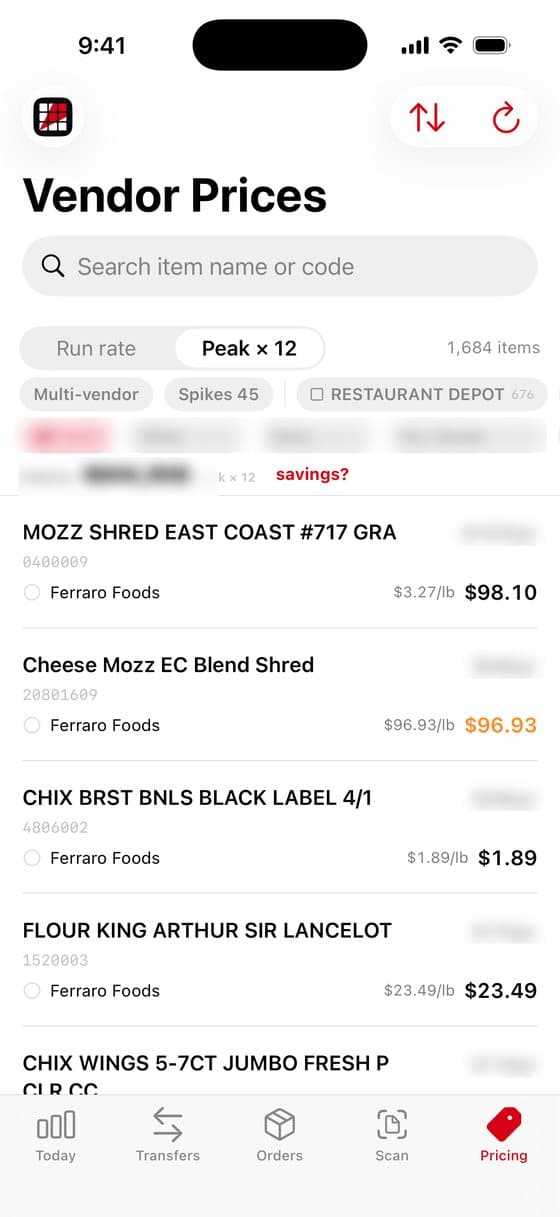
What each vendor charges for each item, side by side, with the best price marked.
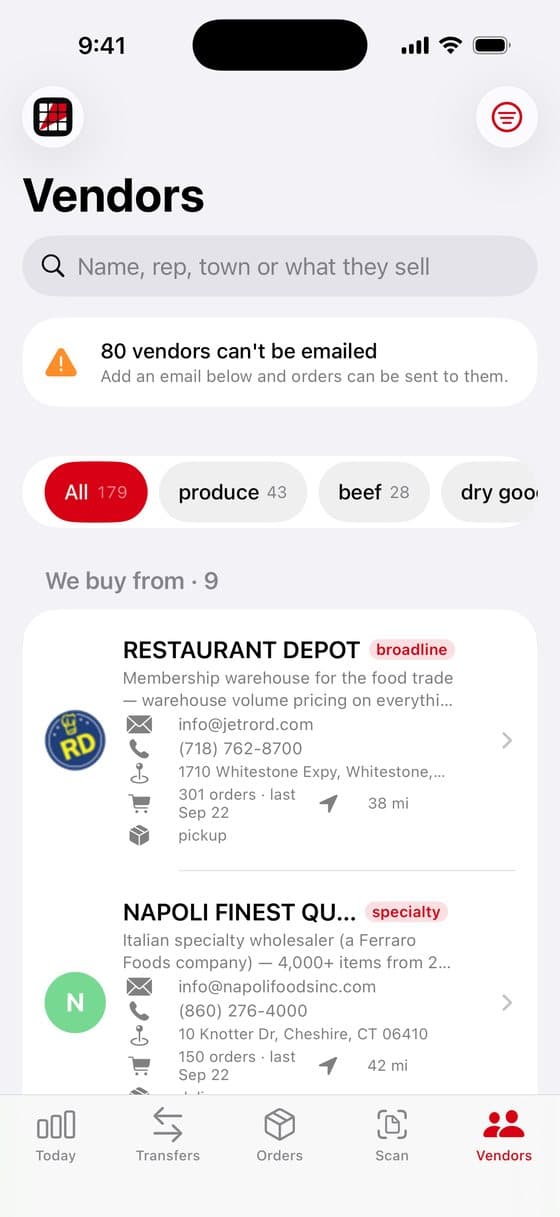
Who you buy from, how to reach them, and how often you order.
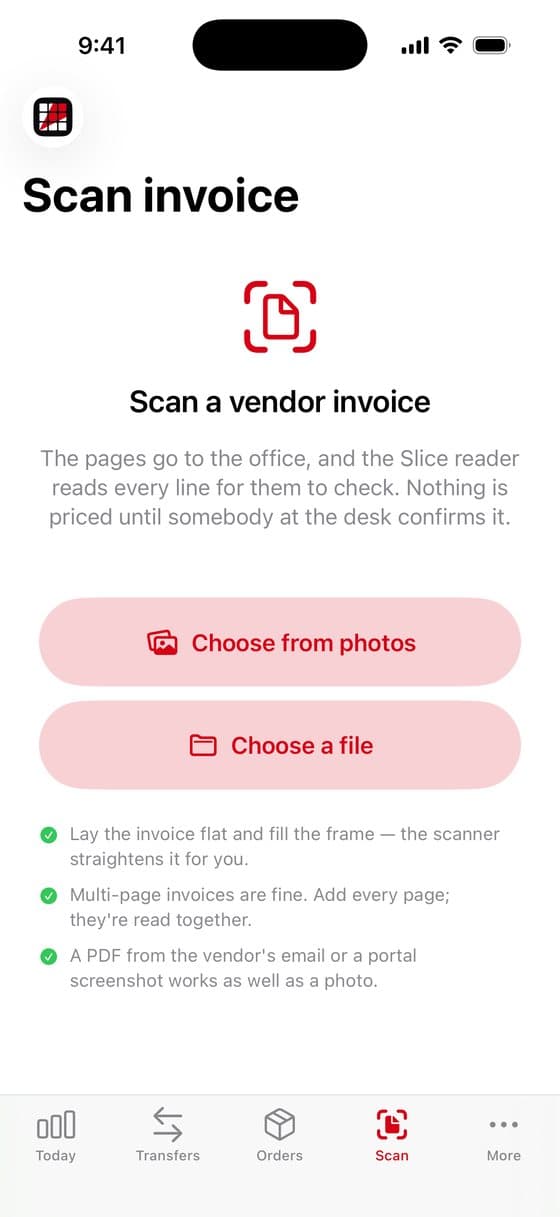
Scan a vendor invoice or choose a PDF, and its lines and prices are read for you to check.
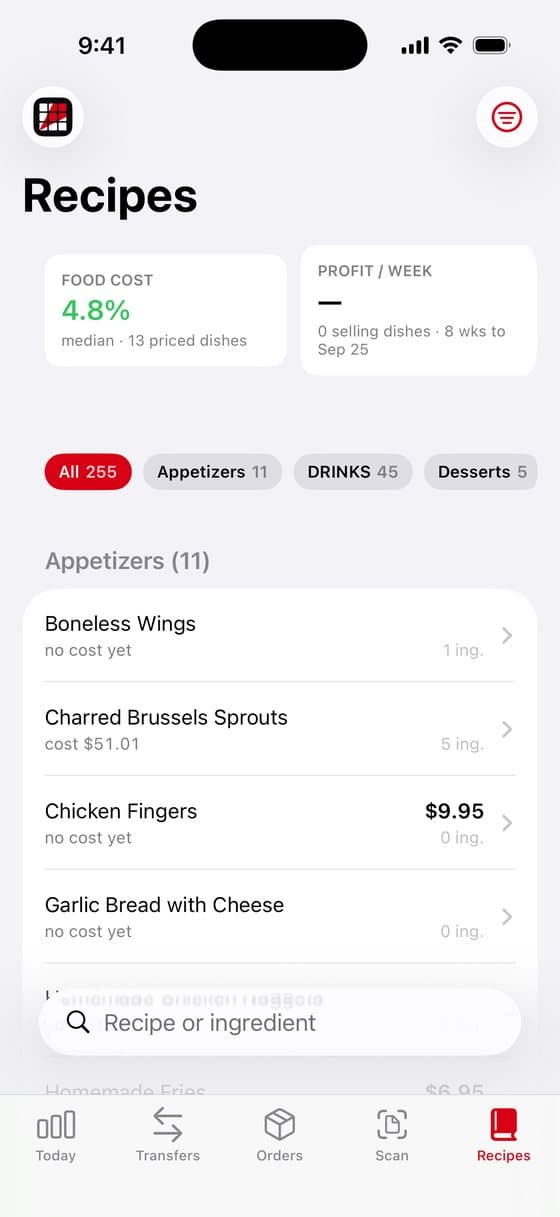
Prep recipes with what each dish costs to make.
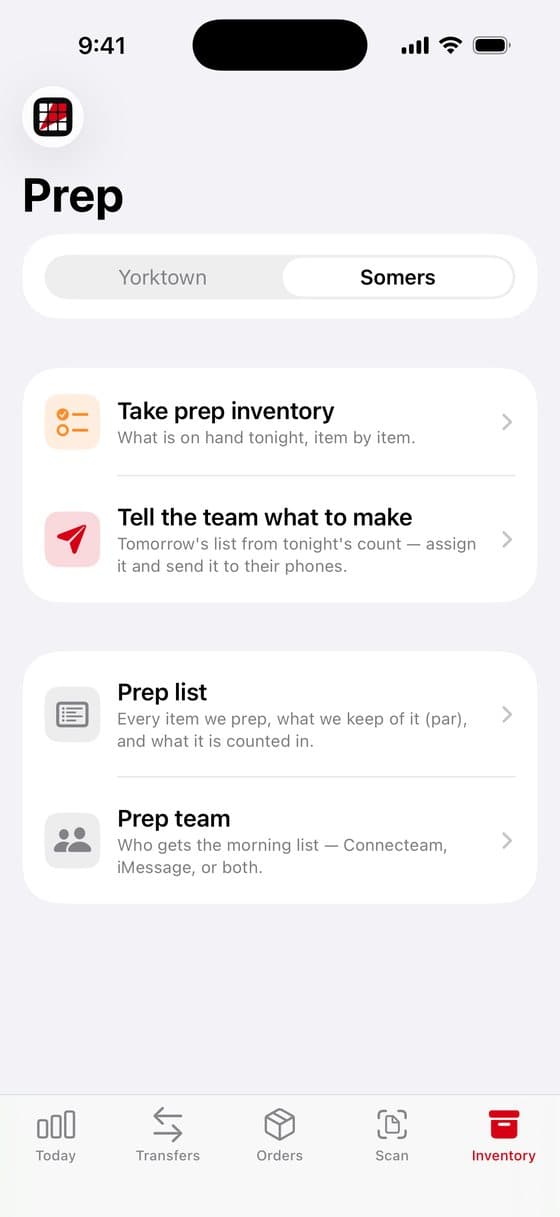
Count what is prepped tonight and build tomorrow's prep list from it.
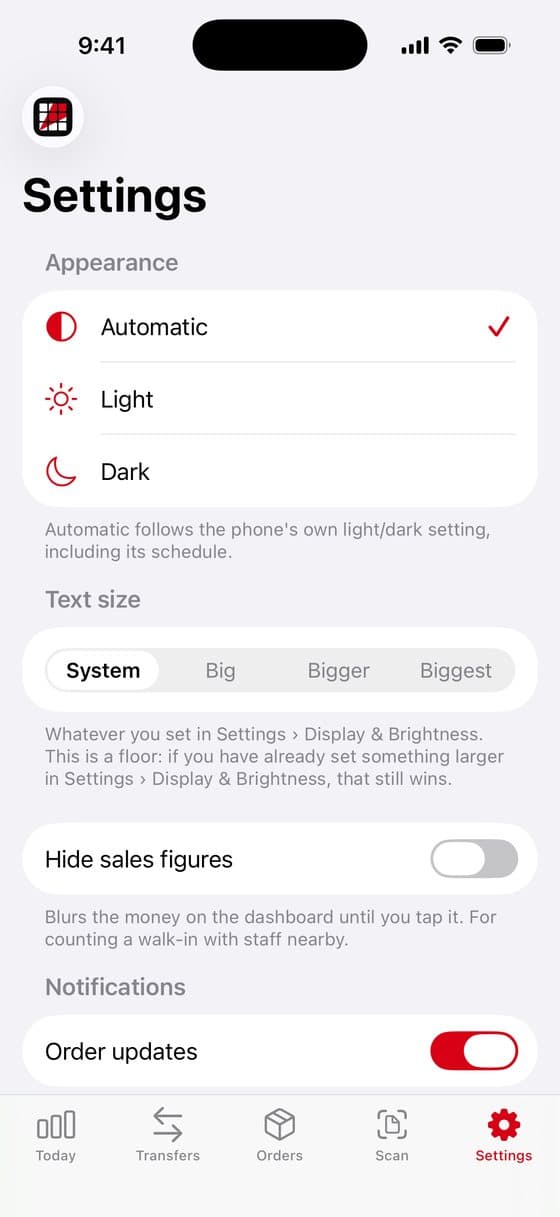
Appearance, text size, stores and logos, your business details and your vendors.
Slice Supply was built in a working kitchen. We run Slice Pizzeria's two shops in Yorktown and Somers, New York, and we built this to do our own counting and ordering.
Now any restaurant can use the same tool, with an account and data that are entirely its own.
Slice Supply is made by Elite Era LLC.
2 months free, then $49.99 a month.
Already have an account? Open the app and sign in with your email.
Slice Supply is an inventory and ordering app for restaurant kitchens. You count your walk-in, freezer and dry storage on an iPhone or iPad, see what each vendor charges for each item, and build the orders for each vendor from the count.
The first 2 months are free. After that it is $49.99 a month for every store and every device on your account, billed through the App Store. There is no setup fee and no contract.
Yes. Slice Supply runs on iPhone and iPad, and one account covers every device in the kitchen.
Walk your storage areas in the order you actually walk them and tap in what is on each shelf, in cases, pieces or pounds. Each item shows its par and when it was last ordered. Barcodes scan with the camera or a Bluetooth scanner.
Yes. Once your vendors’ prices are in, every item shows the vendor it is going to and what the others would charge, with the best price marked and what switching would save on that line.
Yes. Counts are saved on the device first and sent when the connection comes back, so a walk-in with no reception never loses your work.
Yes. Each store gets its own name, logo, storage areas, counts and orders, and you can transfer stock between stores and bill the receiving store for what arrived.
Yes. Scan a vendor invoice with the camera or choose a PDF, and its lines and prices are read for you to check before they are saved.
Cancel any time in your Apple Account subscription settings. You can also delete your account and all of its data from inside the app.
Questions before you start, or help once you have? Email gjiro@sealskincovers.com and we'll get back to you within one business day. Tell us the name of your restaurant.